WorkingSLOT 01
Arcane ROB RUN
Prediction aim, city ESP, radar and shooting without recoil.
 GAME CAPTURE / LOVEC
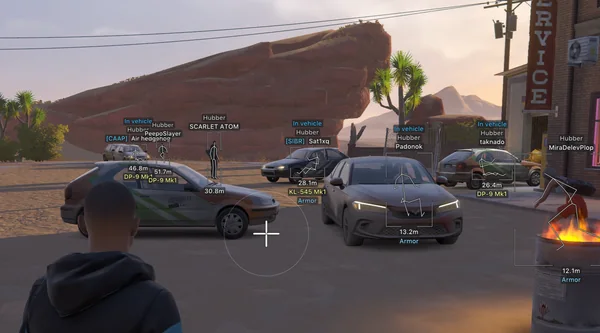
Vector and Silent Aim with automatic prediction, player and NPC ESP, detailed loot labels and a circular radar. The loader requires a USB flash drive.
Duration: 1 day. Check it again on the DigiSeller page before paying. Your key and guide will be in the order and by email.
Descriptions and functions are based on current build data. Check the guide in your order before launching, as requirements may change after patches.
Lovec combines two aiming modes with a detailed view of the city. Vector keeps visible crosshair tracking, while Silent Aim registers shots without an obvious camera snap. Prediction adapts to the weapon and range, and Humanization softens target transitions.
Loot is the other strong point. Items receive icons, stack-aware prices and rarity colours. Players and NPCs have separate settings, so police, citizens and robbers do not collapse into one generic marker.
Check your Windows build and prepare a separate USB flash drive.
Copy the loader only to the USB drive and remove other copies from the disk and Recycle Bin.
Run the loader as administrator, enter the key and wait for confirmation.
Open ROB RUN through Steam, press INSERT or DELETE and load your profile.
All listed settings by section. Open the block you need.
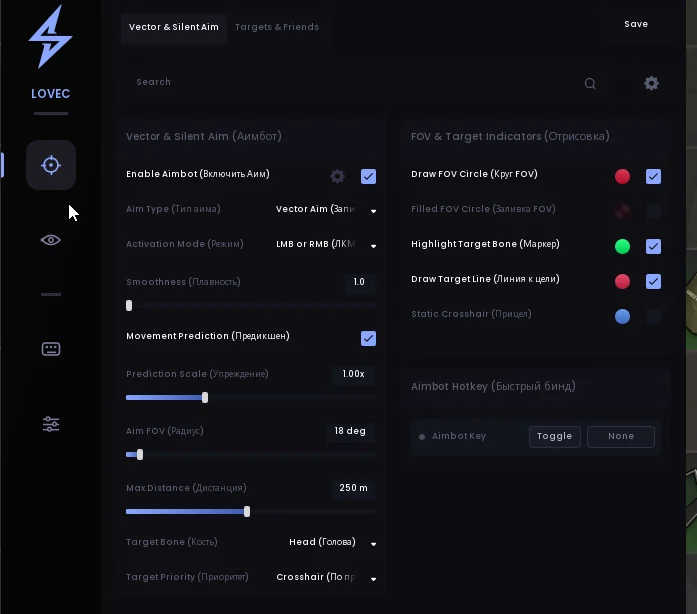
Vector Aim or Silent Aim. Always on, on left-click fire, right-click aim, either button or a separate keybind.
Automatic lead adjustment for the equipped weapon and distance, prediction strength and crosshair, plus adjustable human-like aiming.
Head, neck, chest, pelvis or nearest bone by default. Target priority by crosshair or distance.
Bandits, police, civilians and NPCs. Ignore knocked players and people in vehicles.
Party ignore, a manual friend list and automatic friend list additions.
FOV, bone highlight, target line and static crosshair with individual colours.
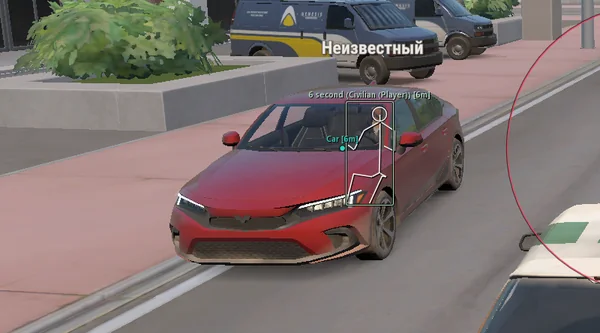
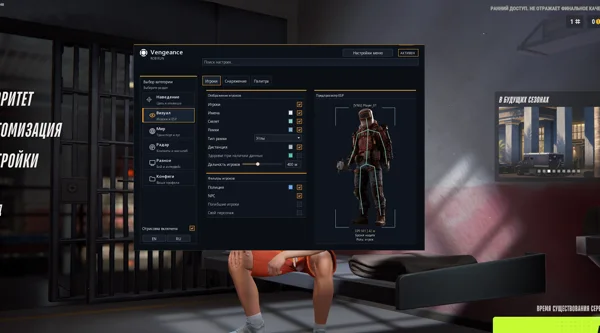
Players, bandits, police, civilians and NPCs. A separate NPC tab controls boxes, skeletons, names, weapons, states and distance.
Full, corner or 3D boxes, gradient fills, and adjustable width and height.
Skeleton colour and thickness, head circles and distance fading. Skeleton jitter has been fixed.
Name, clan tag, role, player ID and distance to the target.
HP and armor bars, plus the equipped weapon for players and NPCs.
Knocked, handcuffed, sneaking and in-vehicle tags.
A line to the target from the bottom or top of the screen, or from the crosshair.
Ground loot, bags, cash, cargo, crates, weapon cases, safes and containers with individual colours.
Item prices in dollars that account for stacks and cash bundles, plus a minimum price filter.
Weapons, ammo, armor, equipment and valuables. Icon and text display, style, outline, size and opacity.
Common, Uncommon, Rare and Epic colours, with a separate filter for each rarity.
A different colour for emptied crates and a separate option for closed safes.
Vehicles, doors and buyers with separate colours.
Normal, broken and alarmed cameras, an option to hide broken ones and a distance limit.
A circular radar with size and range controls, NPC markers and dragging while the menu is open.
Hide unnecessary loot and peaceful objects with one button.
Off-Screen Arrows with radius, size and maximum distance settings.
Binds for the aimbot, ESP, boxes, skeletons and snaplines. The menu opens with INSERT or DELETE.
Russian and English menu and ESP localization, an FPS limit, watermark and a 75–175% menu scale.
Lovec Legit, Lovec Full and custom configs: create, load, save, remove and reset.
Real build captures. Select one to inspect the interface.
Added weapon and distance prediction, Humanization, HP/AP, a separate NPC tab, loot prices and rarity, cameras, Battle Mode and a 2D radar.
UpdatesROB RUN uses Easy Anti-Cheat. Working status does not guarantee immunity from bans. Check requirements and avoid conspicuous settings on an account you cannot risk losing.
Features, launch and compatibility.
Yes. The loader must run from a USB drive. Other copies on the main disk can cause a Bad HWID error.
Yes. It lists Vector and Silent Aim plus a circular 2D radar with size and range controls.
Item names and icons, stack-aware prices, rarity, distance and the state of supported containers.
Prediction aim, city ESP, radar and shooting without recoil.
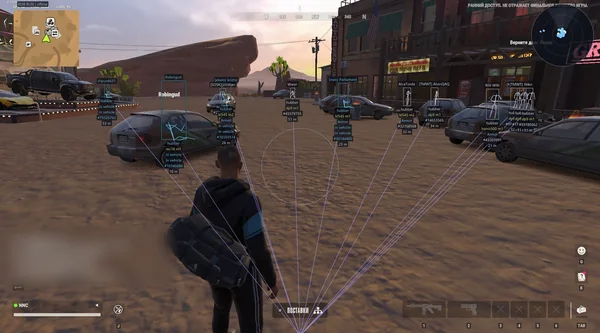
Silent Aim, weapon profiles, ESP, radar and automatic profile updates.
Aim, ESP, detailed vehicles, radar and clan-aware BattleMode.