Silent Aim in ROB RUN registers a hit on the selected point without an obvious camera snap. Vector or Memory Aim moves the crosshair toward the target, while Silent keeps your view in place. This changes the shooting experience but does not hide suspiciously accurate streaks from other players or prevent reports.
NN, Lovec, FOCUS, Unnamed and Phoenix Internal include the mode. Each build has its own role filters, FOV, bones and shot controls. Here is what to compare and how to configure it without acquiring the entire street.
Key takeaways
- Silent Aim does not move the camera as visibly as standard aim.
- FOV, Visible Only and role filters matter more than maximum range.
- Hit chance and hold activation help limit firing streaks.
How Silent Aim selects a target
The working area is usually limited by an FOV circle and maximum range. Inside it, the build selects a character by crosshair proximity or distance. Separate settings choose a bone: head, neck, chest, pelvis or the nearest available point.
Citizens, police, robbers and NPCs often stand close together in ROB RUN. Faction filters exclude unwanted roles, while Team Check, Ignore Friends and friend lists protect teammates. Visible Only prevents aiming at a character you cannot see.
- Start with a small FOV and one bone.
- Enable only factions hostile to your current role.
- Use hold activation instead of an always-on mode.
How the builds differ
NN adds weapon profiles and an offset scanner, Lovec adds automatic prediction, Humanization and Legit/Full presets. FOCUS combines standard and Silent Aim with role colours, Unnamed offers Auto shot, delay and Hit chance. Phoenix Internal switches between Memory and Silent Aim in one section.
Do not compare the Silent Aim checkbox alone. Check state filters, firing controls, profiles, Windows support and BIOS requirements. Lovec needs a flash drive, FOCUS needs virtualization disabled, and NN has its own UEFI and TPM requirements.
- NN: weapon profiles and automatic updates.
- Lovec: prediction and humanization.
- Unnamed: Hit chance and Auto shot.
- Phoenix Internal: two aim modes and extensive ESP.
A practical first profile
For the first launch, use hold activation, the nearest bone and a moderate FOV. Avoid starting with Lovec Full at 140° or continuous Auto shot: that quickly looks unnatural. Test acquisition on one target before expanding the settings.
If aim jumps to passers-by, reduce the working area and disable citizens and NPCs. If it does not fire, check the key, visibility filter, target state and selected faction. Save a calm config separately from your experimental one.
- Small FOV for close contact.
- A separate profile for each weapon class when available.
- A delay before changing targets instead of instant switches.
Suitable builds
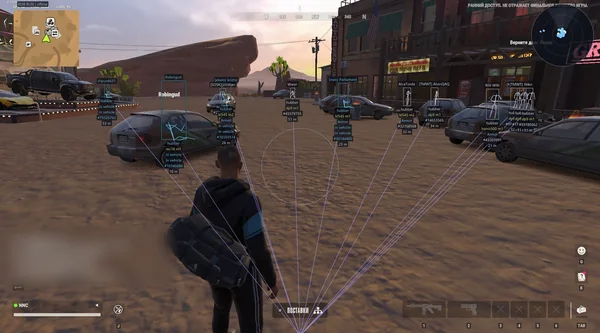 NN ROB RUNSilent Aim, weapon profiles, ESP, radar and automatic profile updates.190 RUB
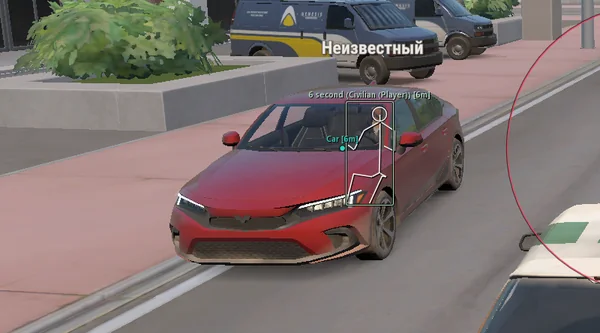 Lovec ROB RUNSilent Aim, HP and armour ESP, loot prices and rarity, plus a 2D radar.300 RUB
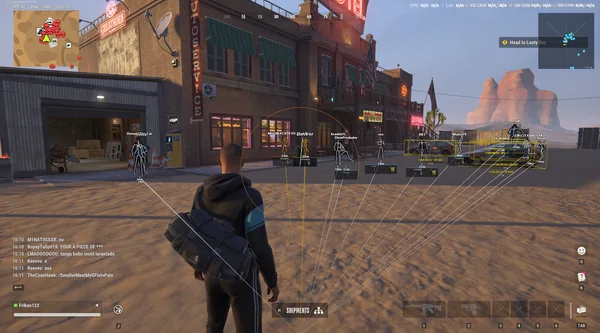 FOCUS ROB RUNSilent Aim, role and loot ESP, vehicles, robberies and radar.199 RUB
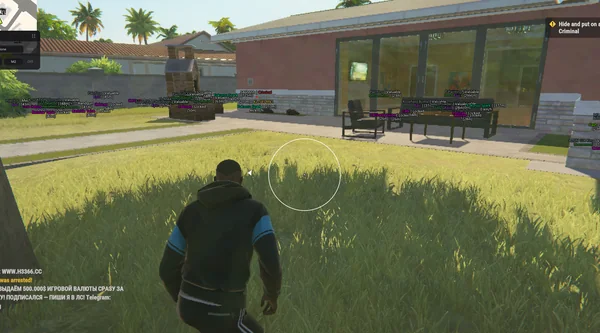 Unnamed ROB RUN InternalAimbot and Silent Aim, plus player, cash, loot and vehicle ESP.$5 USD
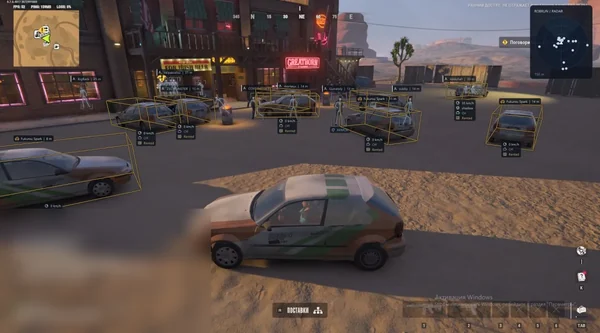 Phoenix ROB RUN InternalMemory and Silent Aim, faction, loot and camera ESP, radar and Skin Changer.299 RUB
Sources and verification
Functions and prices are checked against current build listings. Game facts come from the official ROB RUN Steam page.
ROB RUN — SteamQuestions and answers
How is Silent Aim different from an aimbot?
A standard aimbot moves the crosshair toward the target. Silent Aim registers the shot without an obvious camera snap while preserving your view.
Does Silent Aim guarantee no ban?
No. Build status and aiming mode do not rule out Easy Anti-Cheat, manual enforcement or player reports.
Which builds include Silent Aim?
The current catalog includes NN, Lovec, FOCUS, Unnamed Internal and Phoenix Internal.