Finding loot in ROB RUN is not only about item prices. You need to know where loot is, who is already nearby and how to extract the result. ESP reduces searching, but the route still decides the outcome.
This is the practical order: valuables filters, surveillance checks, transport and clearing the screen before a possible fight.
Key takeaways
- Assess the route before container value.
- Stack price and base unit price are different data.
- Clear peaceful markers with Battle Mode before combat.
Choosing a target
Enable only the categories you need: cash, weapons, armour, medicine or valuables. If a price threshold is available, remove cheap clutter. Lovec shows stack prices, while Bleak shows base unit price, so numbers cannot be compared without considering the format.
Hide empty containers only where the build distinguishes confirmed states. An unknown crate is not automatically empty. Lovec also has a separate closed-safe marker.
- Set a category and minimum price.
- Check the price format in your build.
- Do not assign an empty state to unknown objects.
Route and surveillance
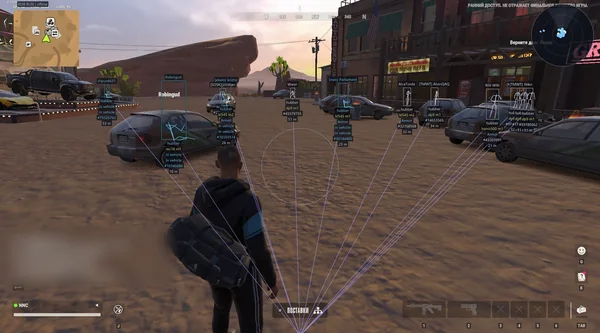
Before approaching, check people, cameras and vehicles. Role labels show who is nearby, while Phoenix Internal's Detection Zones displays camera coverage. This helps you choose another entrance or leave a container for later.
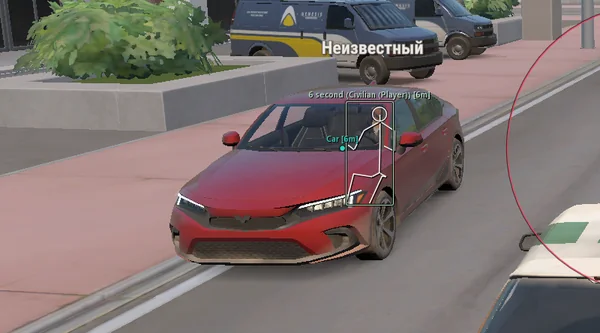
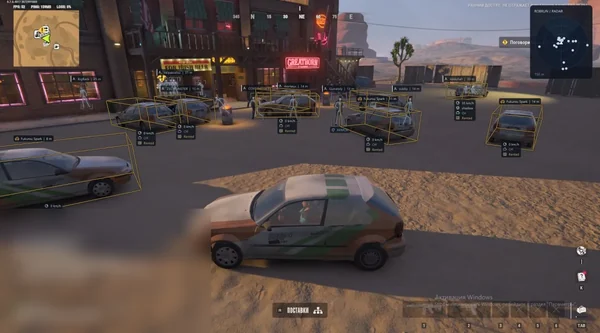
Keep the route to your vehicle short and clear. Vehicle ESP with driver, speed and cargo helps not only with escape: it also reveals that transport is already occupied.
- Check the surroundings, not only the item.
- Give cameras and security panels a separate colour.
- Check the vehicle before looting.
Extraction and possible combat
If the route may end in a fight, decide where to enable Battle Mode. It removes peaceful items and unnecessary lines while keeping hostile contacts. That is easier than searching for the right toggle during a firefight.
Do not return for minor loot without a reason. Save the successful route profile and create a separate combat preset. This preserves your main filters for the next run.
- Assign the battle key in advance.
- Keep farming and combat profiles separate.
- Leave after completing the objective.
Suitable builds
Sources and verification
Functions and prices are checked against current build listings. Game facts come from the official ROB RUN Steam page.
ROB RUN — SteamQuestions and answers
How do I find expensive loot quickly in ROB RUN?
Enable the required categories, minimum price and range limit. Then check people and cameras along the route to the object.
Does ESP create new items?
No. It only displays objects already present on the server and their available data.
What should I enable for extraction?
Vehicle ESP with distance and, when available, driver, speed, owner and cargo.