WorkingSLOT 01New build
Phoenix ROB RUN Internal
Memory and Silent Aim, faction, loot and camera ESP, radar and Skin Changer.
 GAME CAPTURE / ABSOLUTE
Absolute displays players, cars, helicopters and loot, while its aim assist accounts for target movement. Russian menu, Battle Mode and loader compatibility checks.
Duration: 1 day. Check it again on the DigiSeller page before paying. Your key and guide will be in the order and by email.
Descriptions and functions are based on current build data. Check the guide in your order before launching, as requirements may change after patches.
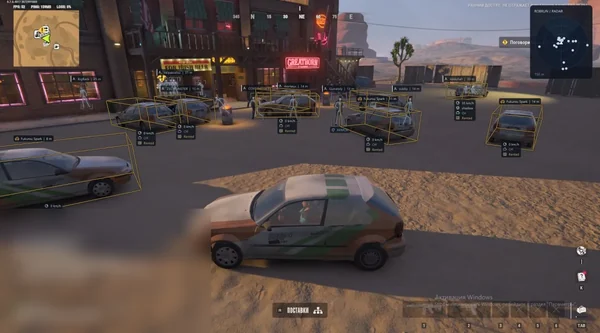
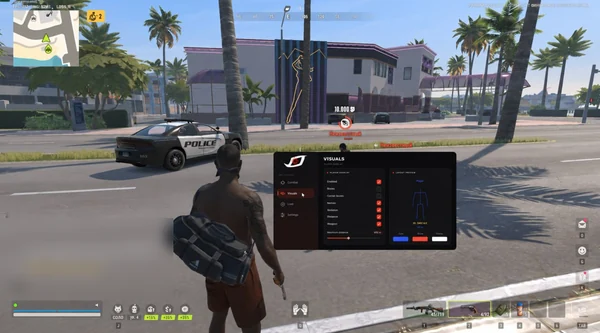
Absolute brings aim assist, player and vehicle ESP, loot and radar into a Russian-language menu. Characters display role, health, armour, weapon, crouching and knocked states. Cars and helicopters receive separate markers, with passenger counts when available.
Aim works while Alt or an assigned mouse button is held. FOV, smoothing, prediction, zone selection and visibility filtering support different setups. During a fight, B hides loot and its markers while leaving players and vehicles visible.
Download Absolute Loader from the post-purchase guide and run it as administrator.
Accept the update, sign in and enter your key; no manual game selection is needed.
Wait for compatibility checks. If asked to disable HVCI, VBS or the vulnerable driver blocklist, confirm and restart the PC.
Launch ROB RUN, join a server and press HOME once.
Configure the features and save your config. For a black menu or WebView2 error, restart the loader and repair WebView2 Runtime.
All listed settings by section. Open the block you need.
Boxes mark player positions and help distinguish characters from world objects.
Skeletons show body posture, while a separate marker indicates the head.
Model highlighting makes players more visible, with a configurable colour.
Labels display the player's name, current health and armour.
A marker shows the weapon currently held by the character.
A label shows the distance to the selected character.
Crouching and knocked states have their own indicators.
A separate sign marks a player who may be hiding.
See occupants of cars, helicopters and other vehicles.
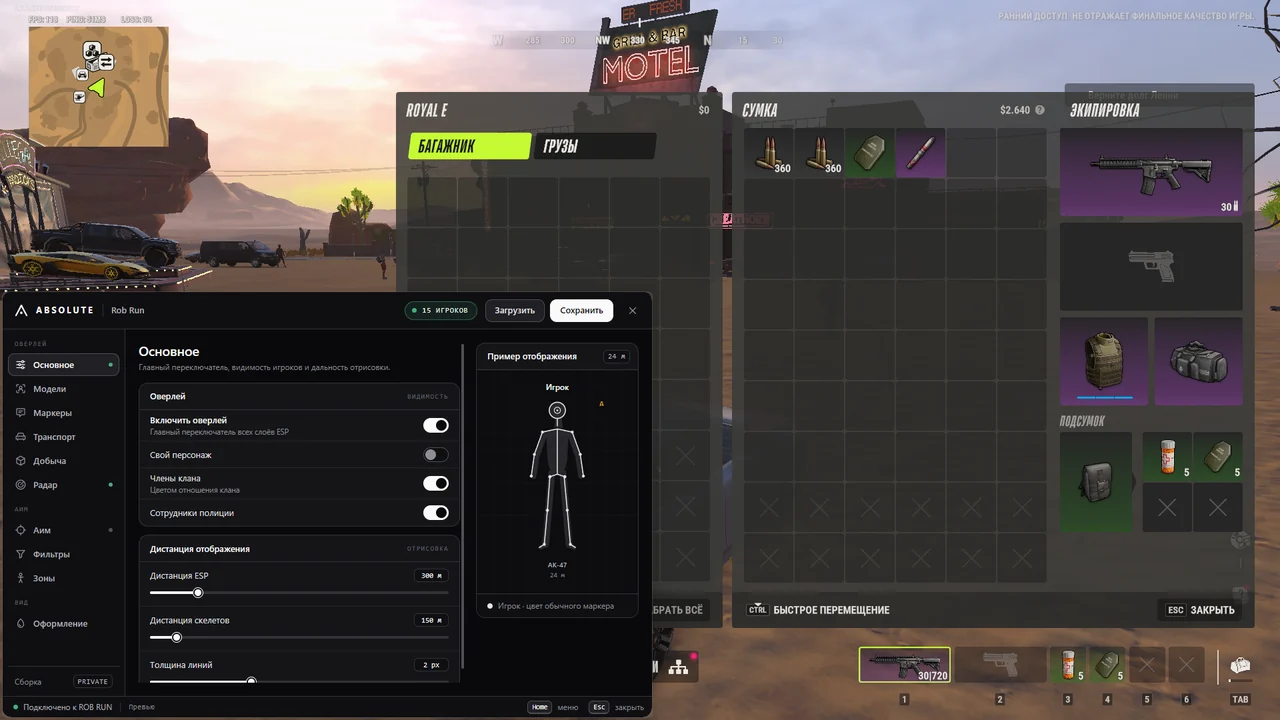
Regular players, clan members and police officers use different colours.
ESP range, skeleton range and line thickness are adjustable.
The overlay can optionally display your own model.
Markers indicate cars and helicopters around you.
Vehicle labels include the model name and distance.
Outline highlighting helps you keep track of a car or helicopter.
When the data is available, Absolute displays the number of occupants.
Your current vehicle receives no unnecessary marker or highlight.
Individual items and loot locations appear directly on screen.
Containers receive their own markers and rarity colours.
Door labels indicate whether they are open, closed or locked.
Ground drops remain separate from regular loot locations.
Items stored inside vehicles can be enabled separately.
Names appear in Russian without internal numbers or unnecessary suffixes.
Marker and text colours correspond to the item's rarity tier.
Disable unwanted tiers to leave only the selected loot visible.
A shared setting limits the display distance for loot markers.
The top-down display marks characters, cars and helicopters.
World markers show objects and items along your route.
A separate slider adjusts the radar's coverage.
Colours distinguish clans, police and other object categories.
The radar shows target direction and position relative to your character.
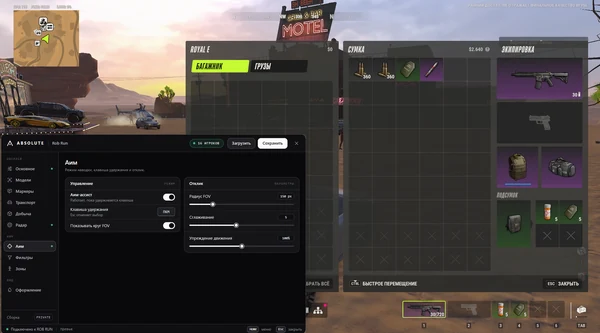
Aiming works while the assigned key is held; Alt is the default.
A mouse button can replace the keyboard hotkey.
The target acquisition area is limited by an adjustable radius around the crosshair.
An on-screen circle shows the actual aiming area.
Tracking speed and target distance are configured independently.
Absolute accounts for target movement and aims with a lead.
A separate mode applies more abrupt aiming correction.
Priority can be given to the closest available opponent.
This filter avoids selecting players behind walls and other obstacles.
Members of your group are excluded from target acquisition.
Aiming at clan members and police officers is controlled separately.
Choose head, face, neck and shoulders, chest, pelvis, arms, hands, legs or feet.
Select the available body zone closest to the current crosshair position.
Automatic aiming pauses while the settings window is open.
One hotkey temporarily hides loot and all associated markers.
Items, points, containers, doors, drops and vehicle loot disappear.
Characters, vehicles and other enabled ESP elements remain on screen.
Use hold or one-press toggle mode; B is assigned by default.
Menu sections, settings and item names are displayed in Russian.
Change colours for players, markers, loot, vehicles and the FOV circle.
The model in the menu immediately reflects your selected settings.
A short HOME press opens or closes the settings window.
Esc closes the menu or cancels assignment of a new hotkey.
Changes are saved automatically and retained after a restart.
Top-menu buttons save the current config or restore the saved one.
Real build captures. Select one to inspect the interface.
Added Absolute with visibility-filtered aim, player and vehicle ESP, rarity-filtered loot, radar, Battle Mode and a Russian menu.
UpdatesROB RUN uses Easy Anti-Cheat. Working status does not guarantee immunity from bans. Check requirements and avoid conspicuous settings on an account you cannot risk losing.
Features, launch and compatibility.
Absolute has a Russian menu with character preview, hold-key aiming, visibility filtering, multiple target zones, vehicle ESP, rarity-filtered loot and Battle Mode on B.
No. Neither a flash drive nor BIOS changes are required. The loader checks the Windows version and security settings before activation.
The developer materials provide no exact list. Absolute Loader checks your particular system before launch instead of relying on another build's compatibility.
Yes. Alt and B are the defaults, but another key or mouse button can be assigned. HOME is reserved for the menu.
Yes. Loot and object states use Russian labels without internal numbers or unnecessary suffixes, while rarity is shown by colour.
It removes items, loot points, containers, doors, drops and vehicle loot along with their radar markers. Players and vehicles remain visible.
Thirty days cost 2500 RUB. One day is 200 RUB, three days 500 RUB and seven days 1200 RUB.
Memory and Silent Aim, faction, loot and camera ESP, radar and Skin Changer.
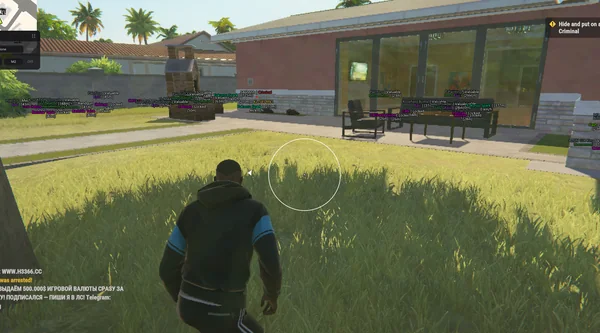
Aimbot and Silent Aim, plus player, cash, loot and vehicle ESP.
Bone-selectable aim, role colours, dropped loot and cargo in one compact menu.