WorkingSLOT 01
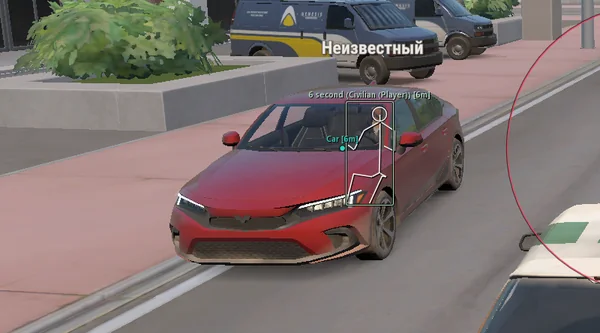
Lovec ROB RUN
Silent Aim, HP and armour ESP, loot prices and rarity, plus a 2D radar.
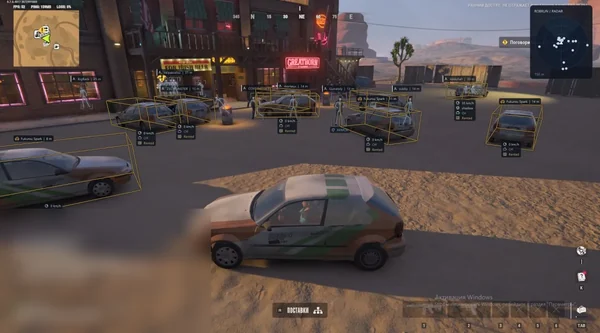
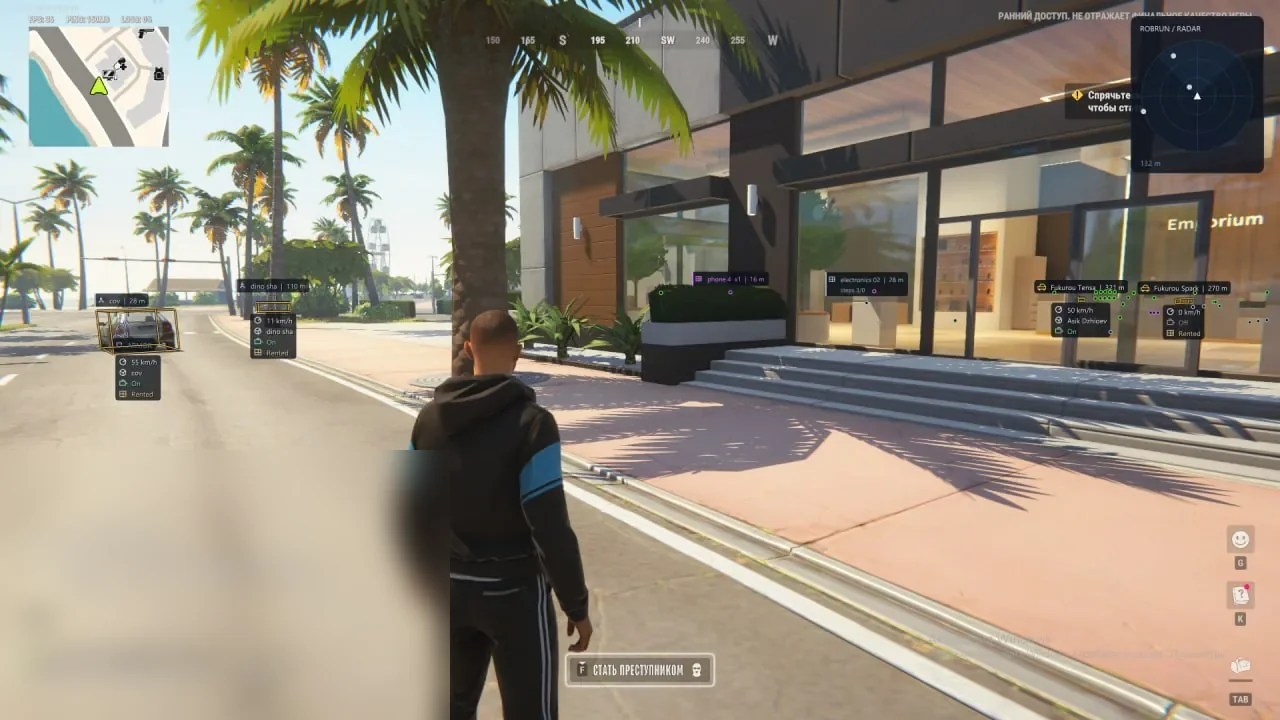 GAME CAPTURE / PHOENIX-INTERNAL
Two aim modes and detailed player, vehicle, NPC and object ESP. Radar, No Recoil, Free Camera, base alerts and configs.
Duration: 1 day. Check it again on the DigiSeller page before paying. Your key and guide will be in the order and by email.
Descriptions and functions are based on current build data. Check the guide in your order before launching, as requirements may change after patches.
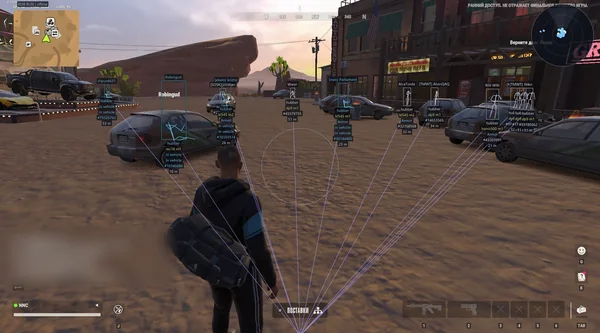
Phoenix Internal is the broadest new build in the catalog. Memory Aim handles visible tracking, while Silent Aim works without an obvious camera snap. Both support bones, FOV, prediction, priority and faction filters.
Beyond players and loot, the menu covers vehicles, NPCs and camera zones. Radar rotates with the camera and changes scale. A separate block includes No Recoil, Free Camera, open-base-door alerts and a local Skin Changer.
Check Windows 21H2–26H1 and the official Steam installation.
Open the loader from the guide and activate the key.
Choose the menu language and follow the loader prompts.
Configure Memory or Silent Aim, then save the calm preset.
All listed settings by section. Open the block you need.
Memory Aim moves the crosshair smoothly, while Silent Aim works without visible camera movement. The activation key defaults to RMB and can be changed.
Police, robbers, citizens and other factions are independent toggles, so aim does not acquire unwanted roles.
Head, neck, chest and pelvis are available. Random Bones changes the bone for each new target, while Head Chance sets the head probability.
FOV limits the acquisition circle and Max Distance excludes distant targets. The circle can be drawn on screen.
Smooth controls Memory Aim movement. Prediction accounts for target speed and Lead Time sets the prediction interval.
Choose proximity to the crosshair or distance from the player. Target Switch Delay adds a pause before changing targets.
Team Check excludes teammates and Ignore Dead skips dead players. Readiness Check prevents aiming at knocked, recovering or vehicle occupants.
Displayed roles are selected independently. ESP Preview shows the layout before returning to the game.
Standard or corner boxes can be combined with skeletons with configurable thickness, colour and range.
Head Marker highlights the head, while Screen Glow adds a configurable radius and intensity around characters.
Name and range appear next to players. Snaplines can connect them to a chosen point on screen.
Available weapon, character state and wanted-status information is displayed.
HP Bar shows a health bar, HP Text shows a number and Armour displays available protection data.
Self, teammates and dead players can be hidden independently. Maximum range limits unnecessary labels.
Vehicle model, driver name and available owner information are displayed.
ESP reports current vehicle speed and engine state.
Separate labels show cargo, trunk state and rental status.
Standard, corner or 3D boxes support translucent fill and Snaplines.
Show occupied or owned vehicles only, hide your own vehicle or the one currently occupied.
Max Distance limits vehicle display to the chosen radius.
NPC name, current state and distance are shown separately from real players.
Bounding Box marks NPCs, while Hide Dead removes dead characters.
Text colour and size are configurable, and Max Distance limits the display radius.
Items, bags, loot nodes and money nodes are included as displayable sources.
Cargo, chargers, storage units and security panels receive their own markers.
Name, distance, count, state and special icons help assess an object before approaching.
Weapons, ammunition, armour, equipment, medicine, valuables and other items can be filtered by type.
Game Colors uses in-game colours, while Category Colors supports custom colours for each category.
Hide Empty removes confirmed empty objects, and Max Distance hides items that are too far away.
Surveillance cameras show their name, box and current state.
Detection Zones displays each camera's coverage, while Zone Fill colours its boundaries.
Working, broken and alarmed cameras use separate colours.
Broken cameras can be hidden and display range can be limited.
Selected factions, NPCs and vehicles appear on the radar.
Rotate With Camera follows camera direction, while Auto Zoom adjusts scale automatically.
Names labels players, Range Rings shows distance rings and View Sector displays the camera sector.
Radar Range sets detection distance and Radar Size changes panel dimensions.
The radar can be moved with the menu open, and background opacity is adjustable.
Suppresses camera recoil while firing.
Removes weapon sway.
Suppresses spread in the client-side shot calculation.
Fast Loot Nodes reduces client-side collection time for supported nodes. Interaction Range changes reach and Duration Multiplier adjusts collection time.
Moves the camera independently from the character to inspect the surroundings.
Configurable warnings report approaching members of selected factions.
Arrows around the crosshair indicate player directions and have independent settings.
The HUD warns about open doors and gates at your own loaded base and shows their distance.
Base Direction points towards your base. Warning Range and Warning Limit control distance and warning count.
Changes the active weapon skin for your local display only.
Selectively hides or restores ESP elements to reduce information during combat.
Calm and high-contrast presets quickly change the visual layout.
Secondary text and decorative interface elements are hidden for a cleaner view.
Custom setups can be created, saved, loaded and deleted. Page Defaults resets the current section.
Character and skeleton counts and visual refresh rate can be limited independently.
The interface is available in Russian and English.
Real build captures. Select one to inspect the interface.
New build with Memory and Silent Aim, players, vehicles, NPCs, loot, cameras, radar, No Recoil, Free Camera, HUD and Skin Changer.
UpdatesROB RUN uses Easy Anti-Cheat. Working status does not guarantee immunity from bans. Check requirements and avoid conspicuous settings on an account you cannot risk losing.
Features, launch and compatibility.
Internal adds Silent Aim, loot, cameras, radar, NPCs, exploits, HUD and Skin Changer. External keeps aim, players and vehicles.
No. It changes the active weapon skin only on your local display.
Yes. The HUD shows open doors and gates at your loaded base, their distance and direction.
Silent Aim, HP and armour ESP, loot prices and rarity, plus a 2D radar.
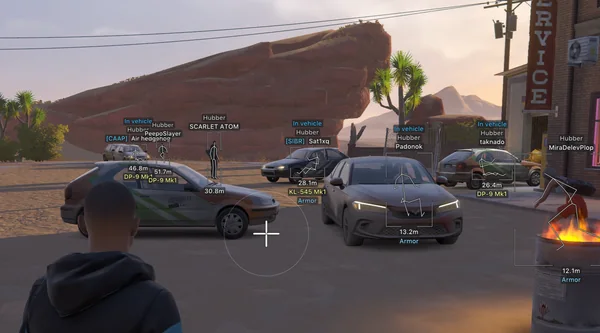
Prediction aim, city ESP, radar and shooting without recoil.
Silent Aim, weapon profiles, ESP, radar and automatic profile updates.