WorkingSLOT 01
Lovec ROB RUN
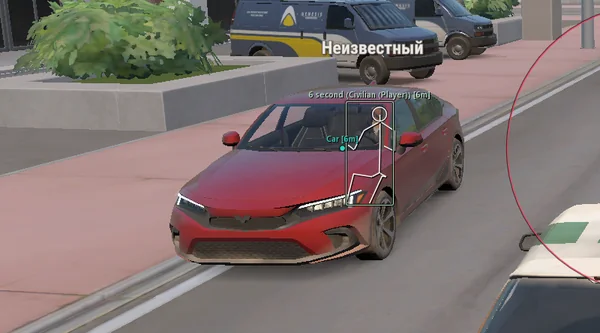
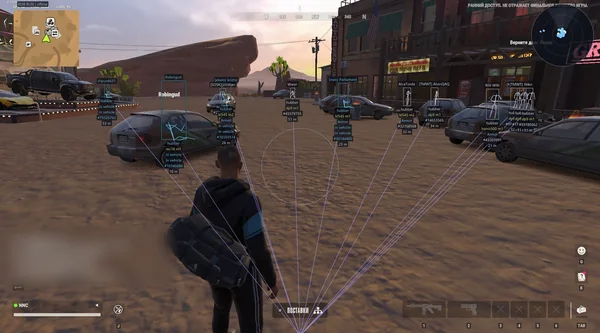
Silent Aim, HP and armour ESP, loot prices and rarity, plus a 2D radar.
 GAME CAPTURE / BLEAK
Full adds aiming with bone selection and smoothing. Lite keeps visual tools without aim: ESP, radar, battle mode and configs.
Duration: 1 day. Check it again on the DigiSeller page before paying. Your key and guide will be in the order and by email.
Descriptions and functions are based on current build data. Check the guide in your order before launching, as requirements may change after patches.
Bleak lets you choose the build size for your play style. Full includes aiming with bones, FOV, smoothing and an NPC filter. Lite removes aim but keeps ESP, world objects, radar, alerts and configs.
A dedicated card warns about approaching police and shows the distance. Radar zooms automatically near contacts, while F6 hides allies and unnecessary world markers during clan fights.
Check Windows and Discord Overlay, then disable HVCI and reboot.
Run Discord and the loader as administrator, then enter the key.
After the game starts, press F4 and wait 5–10 seconds.
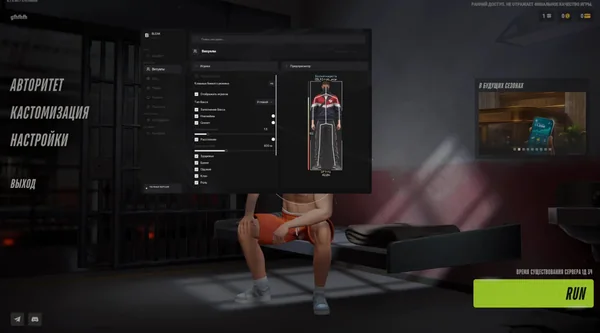
Open the menu with Right Shift and choose Full or Lite settings.
All listed settings by section. Open the block you need.
Full includes aiming and its settings. Lite keeps ESP, world objects, radar, Battle Mode, police alerts and configs without aim.
Right Shift opens and closes eight BLEAK sections. Aiming pauses while the menu is open.
F4 is used at the normal continuation step after activation through the loader.
The search field finds settings by Russian or English names without walking through every tab.
Aim works while the assigned key is held, right mouse button by default, and only while ROB RUN is in the foreground.
Head, neck, chest or pelvis. Head is selected by default, while NPC targeting has a separate filter.
Target-selection radius from 10 to 500 pixels. Eligible targets closest to the centre receive priority.
Values from 0.5 to 30 adjust tracking speed. Higher values make movement slower and smoother.
The maximum target-selection distance is adjustable from 10 to 1,000 metres.
Aiming stops on key release, menu opening, lost game focus or stale data. The local player and dead characters are excluded.
Works independently of aiming and shows the selected area. Colour and opacity are editable in the menu or palette.
Dot, cross, T-cross, ring with dot or chevron. It can work with the FOV circle or separately.
The circle and reticle are visible in the menu before use. These settings are also available in Lite.
Keeps opponents in ESP and on radar while hiding world labels and vehicles. Other category toggles remain saved.
F6 by default, with support for another keyboard key or mouse button. One press toggles the mode without repeat on hold.
Uses the actual attacking and defending sides. Allies are hidden, and unknown membership is not treated as hostile with team context active.
The same non-empty clan is hidden. Police characters also treat other police as allies when playing in that role.
A Battle Mode badge appears beside the radar and stays visible when contact labels are disabled.
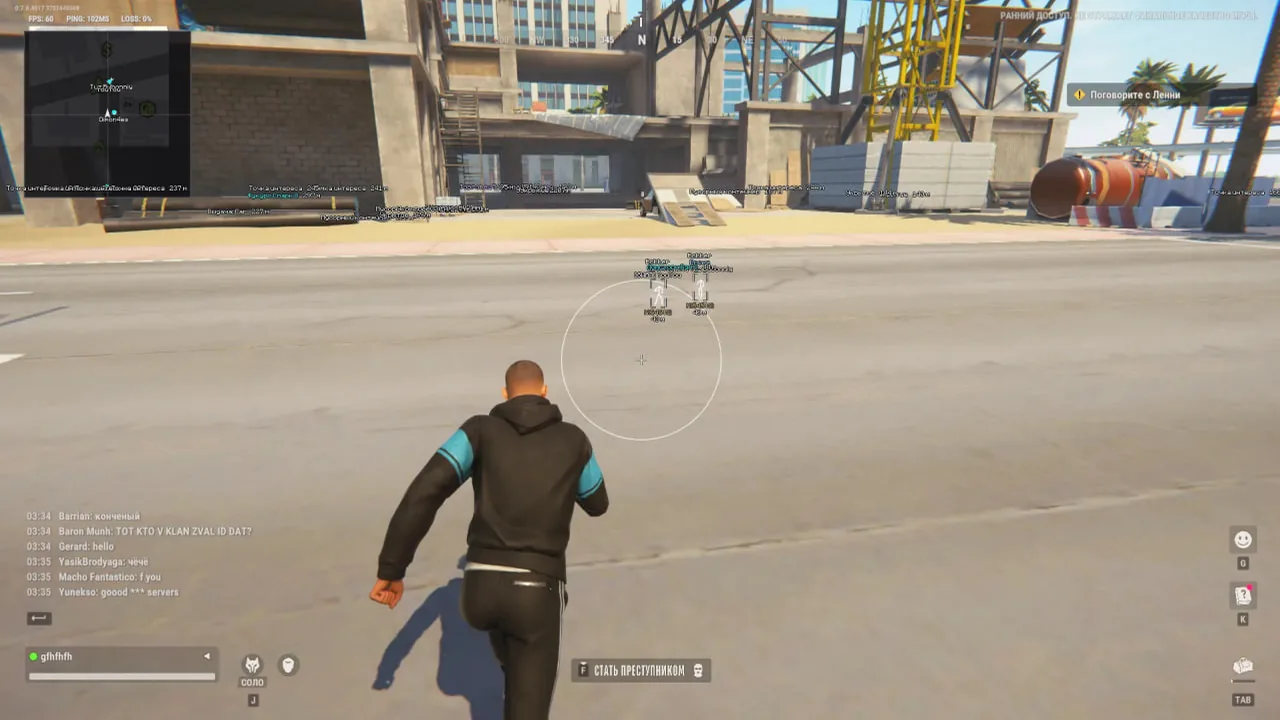
Full or corner boxes with independent translucent fill. Boxes can also be disabled entirely.
Shows available character joints with pose smoothing and line thickness from 1 to 4.
Name, clan, role, police status, distance and entity ID can be combined as needed.
A bar to the left of the box and a numeric value when current and maximum HP are available.
A separate filter, dedicated colour and [COP] or [ПОЛ] markers.
Ordinary NPCs and dead characters have independent toggles. The local character is excluded.
Player ESP ranges from 10 to 1,000 metres. This slider does not limit the radar.
Boxes, skeletons, labels and supported indicators are previewed on the Visuals page.
Shows the available weapon or item name, including an empty-hands label when appropriate.
Displays armour presence and a numeric value when available. Armour colour is separate.
Firing, sprinting, crouching, reloading, arrest and knockout states appear when character data provides them.
Cars and helicopters receive three-dimensional boxes using available dimensions and orientation.
Name and distance share the main row, while additional information is shown below.
Shows the available owner, an unowned marker and the number of detected characters associated with the vehicle.
Engine state, cargo presence and speed in km/h have independent toggles.
The overall limit is 20 to 1,500 metres, with detailed information separately limited to 10 to 500 metres.
Dropped items and available cash points include known quantities or amounts in their labels.
Known items use game icons and a base unit price with a $ sign. This is not a stack total or current market price.
Separate filters cover bags, loot points, containers, display cases, shelving, supported storage and cargo.
Confirmed empty or taken objects can remain visible. Unknown state is not treated as empty.
Item distance and the overall world limit are independently adjustable from 10 to 1,000 metres, and items obey both.
Distant and overlapping labels fade smoothly with their icons instead of forming an unreadable wall of text.
Optional dots mark projected item positions. Known names are translated and technical suffixes are cleaned without losing weapon model names.
Cameras with damage markers, stationary guard posts, alarms and security panels have separate toggles.
Doors, interactive objects and points of interest have independent filters.
Medical cabinets and points, traders, vehicle spawns and service markers.
Hideouts, workbenches, banks and roulette locations can be switched independently.
Players and police use arrows when direction is known or circular markers otherwise. Dead characters are excluded.
Player names can be hidden, while vehicles have separate compact icons without names. Battle Mode hides vehicles.
The radar rotates with the camera and its size is adjustable from 100 to 400 pixels.
Manual zoom ranges from 0.05 to 5.00. Higher values zoom in more.
Set coordinates with sliders or drag the radar with the mouse while the menu is open.
Police, NPC and Battle Mode filters apply. The normal player ESP distance does not limit radar contacts.
Smoothly zooms in near an eligible character and restores the manual scale after the contact leaves.
The trigger distance is adjustable from 30 to 500 metres.
Maximum zoom is 0.05 to 5.00 and transition time is 0.15 to 2 seconds. Auto zoom never goes below the manual baseline.
Members of the same non-empty clan do not trigger zooming, while Battle Mode applies its opponent filter.
Appears at the top centre when police approach and can be fully disabled in Misc.
The alert range is 20 to 300 metres, with 100 as the default.
Messages distinguish an approaching patrol, a nearby patrol and close proximity within 20 metres.
The tracked patrol distance has its own area inside the smoothly animated card.
Russian and English switch without restarting, including known world names, roles, states and vehicle details.
ESP and world labels have independent sizes from 8 to 20 pixels. Menu scaling does not stretch in-game text.
Choose 75, 80, 85, 90, 95 or 100 percent and save the selection.
Separate colours and opacity for players, skeletons, police, health, armour, items, containers, services, vehicles, FOV and crosshair.
Accent colour and animated background are configurable. World labels render below the menu and do not cover its controls.
Create, save, load, rename and delete named JSON configurations.
Menu changes are written to the current configuration automatically, while named profiles remain separate.
Profiles include ESP, Full aiming, world objects, radar, Battle Mode bind, palette and appearance.
Current settings can be saved manually and reloaded from autosave.
Real build captures. Select one to inspect the interface.
Released Full and Lite, player and object ESP, auto-zoom radar, Battle Mode and police-proximity alerts.
UpdatesROB RUN uses Easy Anti-Cheat. Working status does not guarantee immunity from bans. Check requirements and avoid conspicuous settings on an account you cannot risk losing.
Features, launch and compatibility.
Lite has no aim. ESP, world objects, radar, battle mode, police alerts and configs remain.
The current build uses Right Shift. F4 is only used during launch.
Yes, a dedicated card warns about an approaching patrol and shows its distance.
Silent Aim, HP and armour ESP, loot prices and rarity, plus a 2D radar.
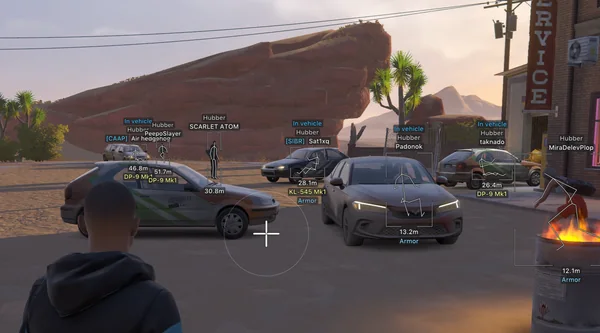
Prediction aim, city ESP, radar and shooting without recoil.
Silent Aim, weapon profiles, ESP, radar and automatic profile updates.