WorkingSLOT 01New build
Phoenix ROB RUN Internal
Memory and Silent Aim, faction, loot and camera ESP, radar and Skin Changer.
 GAME CAPTURE / BYSTER
ATMs, safes and security panels each have their own marker in Byster. When looking for goods to sell, turn on SELL labels and set a minimum value. At a base, switch on crate cards and hide empty crates.
Duration: 1 day. Check it again on the DigiSeller page before paying. Your key and guide will be in the order and by email.
Descriptions and functions are based on current build data. Check the guide in your order before launching, as requirements may change after patches.
ATMs, safes and security panels each have their own marker in Byster. When looking for goods to sell, turn on SELL labels and set a minimum value. At a base, switch on crate cards and hide empty crates.
Steam in windowed mode on an AMD or Intel processor. The supplier lists Windows 10 and 11 and an overall build range of 22H2–25H2.
All listed settings by section. Open the block you need.
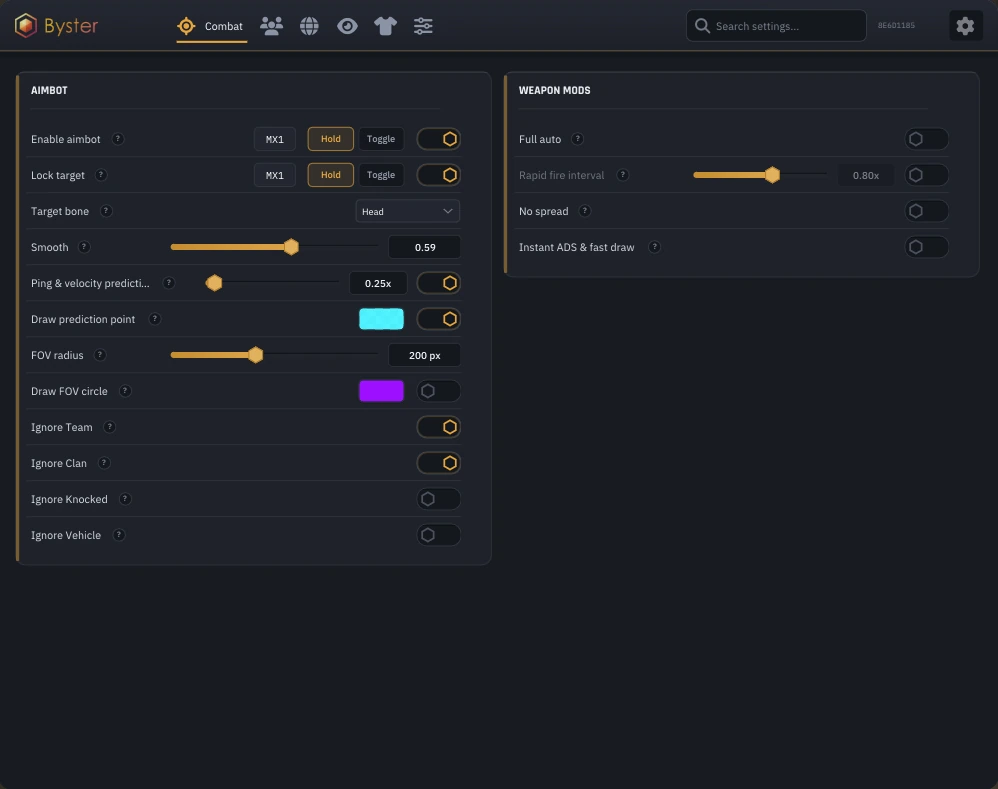
Assign aim and target lock separately. Each bind supports hold or toggle. Pick a target bone and adjust smoothing.
Prediction accounts for latency and target velocity. The predicted point and aim radius each have a display toggle and color.
Filter teammates, clan members, downed players and vehicle occupants independently.
Combat includes full auto, a rapid-fire interval, no spread, fast draw and instant ADS.
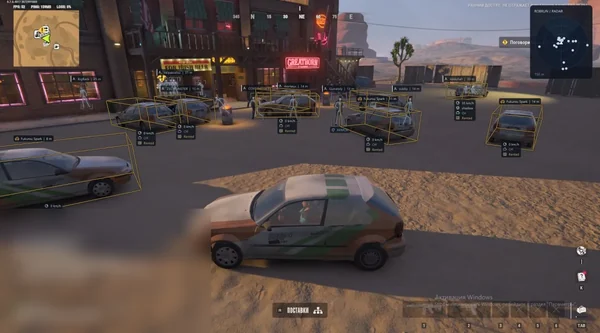
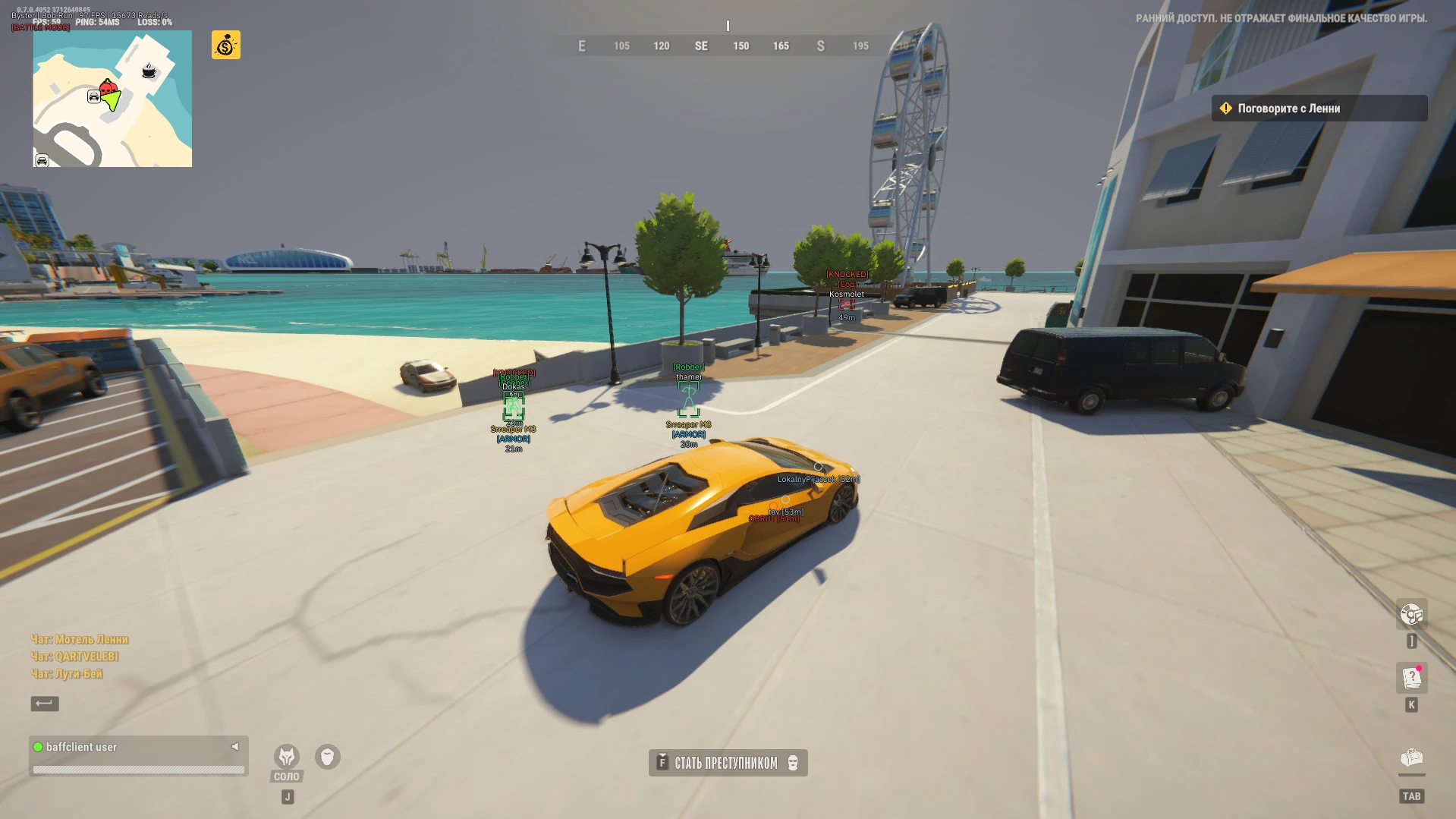
Choose a box style, skeleton, name, clan tag and role. Set box and skeleton colors for cops, robbers, prisoners, citizens and settlers. Team and clan filters also apply to the overlay.
Labels can show held weapon, armor, knock, healing or immunity status, carried cargo, loot value and distance. Status has its own color setting.
Choose marker color, style and radius for off-screen players. Name and distance are optional.
Toggle cargo, items, bags and drops, safes, containers and ATMs, cars and helicopters, security panels, bases and raids. Opened, locked and raided objects have separate state colors.
Sort and stack overlapping labels, mark sellable items, or show only sellable and raid loot. Set minimum value and rarity, display price and distance, limit render range and pick colors for six rarity tiers.
Choose how bases appear. Show the owner and clan, farms, outbuildings and detailed house crate cards. Hide perimeter walls and empty crates independently.
Set colors for local and enemy tracers, hits and headshots. The 3D hit markers include headshot and armor colors and a fade timer.
Adjust camera FOV and set a custom width and height. Grass and flash blindness have separate switches.
Select an atmosphere preset or change the night tint, world brightness, sky color and sun or moon size. Clear the clouds or change their speed. Fog can be disabled or recolored.
Tabs cover weapons, character outfits, heads and hair, masks and bags, charms and tattoos. The outfit browser includes a catalog selector, character gender, name search and rarity filters including Chromo.
Fast Scan reveals items instantly. Insta Loot uses Ctrl and hover.
A keybind hides world ESP and can switch player labels to minimal detail.
Choose a hold or toggle bind, normal flight speed, sprint speed and mouse sensitivity.
Real build captures. Select one to inspect the interface.
ROB RUN uses Easy Anti-Cheat. Working status does not guarantee immunity from bans. Check requirements and avoid conspicuous settings on an account you cannot risk losing.
Features, launch and compatibility.
Bind Battle Mode in Misc. The same panel lets you keep player information compact.
Open Character and select the female outfit catalog. Power is Legendary, so use the rarity filter or search for it by name.
Memory and Silent Aim, faction, loot and camera ESP, radar and Skin Changer.
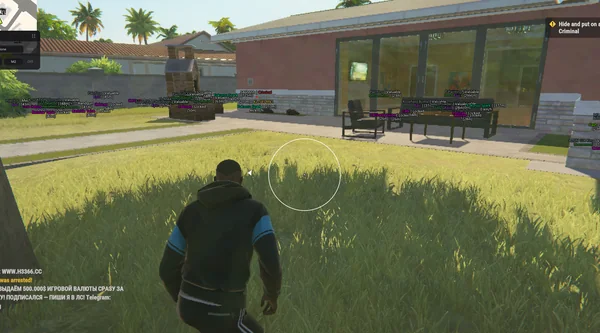
Aimbot and Silent Aim, plus player, cash, loot and vehicle ESP.
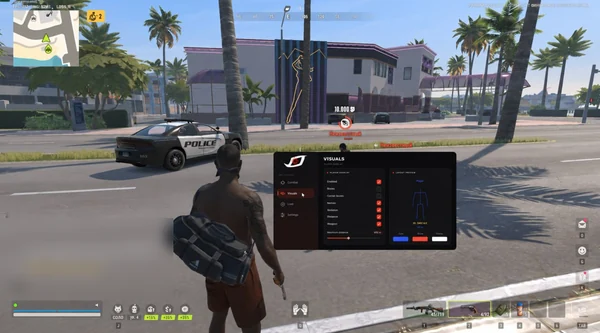
Bone-selectable aim, role colours, dropped loot and cargo in one compact menu.