Camera ESP in ROB RUN shows surveillance near loot, stores and other objects. Normal, broken and alarmed cameras can have different colours, while Detection Zones displays the area where a device operates.
These markers do not disable cameras or hide your character. They provide route information: stay outside the zone, choose another entrance or skip a risky container.
Key takeaways
- Camera state and coverage are different data.
- Broken devices can be hidden with a filter.
- Surveillance markers are most useful next to loot and players.
What camera ESP shows
A basic label contains a name and distance. Lovec, Arcane and NN use different colours for normal, broken and alarmed cameras. This helps you avoid treating a disabled device as an active threat.
Phoenix Internal also shows a box, current state and Detection Zones. Zone Fill colours the detection area directly in the game world, making the boundary easier to see.
- Give each state a different colour.
- Limit camera range if labels crowd the city.
- Use zone fill only for relevant objects.
Cameras on a loot route
Before opening a container, assess more than its price. If a camera is nearby, check its coverage and nearby players. Another entrance or a cheaper but exposed object may be safer.
Do not disable every warning just to clean the screen. Keep a short range and relevant categories while removing secondary city labels. This preserves surveillance information without a wall of text.
- Check the zone before loot value.
- Watch for players near the camera.
- Choose a route outside detection, not only the shortest path.
Readability settings
For farming, keep cameras and loot in one colour group and players in another. Hide broken devices if they do not affect your decision. Alarmed states deserve a contrasting colour.
Use Battle Mode before combat: peaceful objects and loot disappear while hostile contacts remain. When returning to your route, restore the saved profile with the cameras and loot you need.
- Alarmed and broken states should look different.
- Do not show every camera at long range.
- Keep separate farming and combat profiles.
Suitable builds
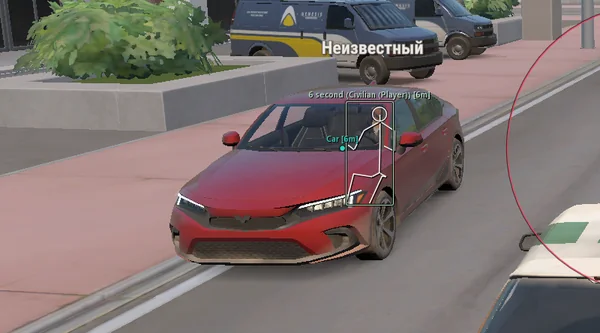 Lovec ROB RUNSilent Aim, HP and armour ESP, loot prices and rarity, plus a 2D radar.300 RUB
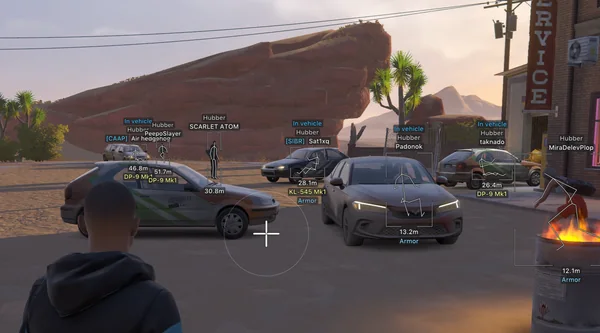 Arcane ROB RUNPrediction aim, city ESP, radar and shooting without recoil.$4 USD
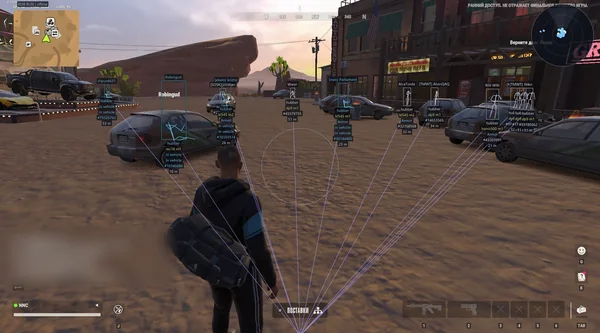 NN ROB RUNSilent Aim, weapon profiles, ESP, radar and automatic profile updates.190 RUB
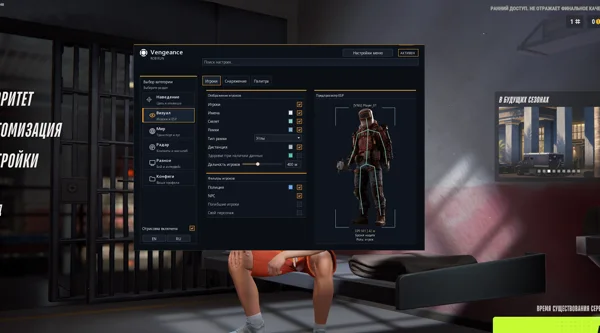 Vengeance ROB RUNAim, ESP, detailed vehicles, radar and clan-aware BattleMode.333 RUB
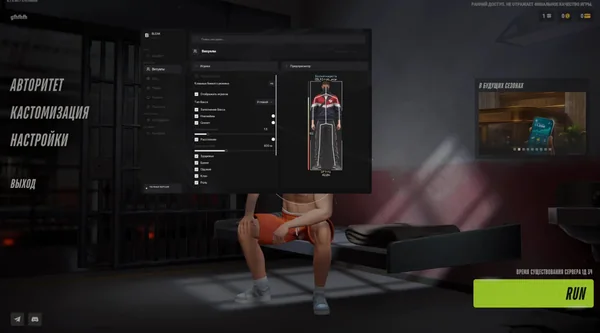 Bleak ROB RUNFull and Lite editions, world ESP, auto-zoom radar and police alerts.$4 USD
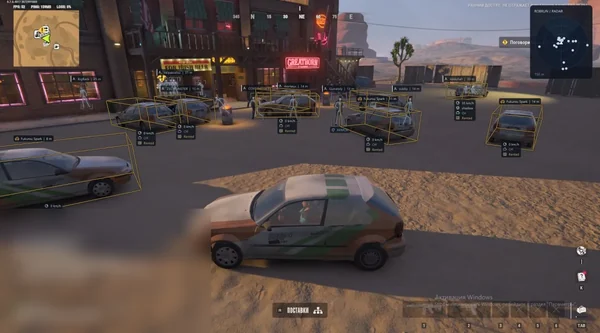 Phoenix ROB RUN InternalMemory and Silent Aim, faction, loot and camera ESP, radar and Skin Changer.299 RUB
Sources and verification
Functions and prices are checked against current build listings. Game facts come from the official ROB RUN Steam page.
ROB RUN — SteamQuestions and answers
Does ESP disable cameras in ROB RUN?
No. It only displays cameras, their available states and detection zones. The devices continue operating.
What are Detection Zones?
They are a camera's coverage area. Phoenix Internal can display its boundaries and fill in the game world.
Can broken cameras be hidden?
Yes. Lovec, Arcane, NN, Phoenix Internal and several other builds include a dedicated broken-camera filter.